
Once you install PIB on your system, the next
step is to Login. There are two ways to login
- Double click on
PIB desktop icon
 given on your desktop.
 - Alternatively, follow the given path in your PC "Start --> Programs --> Power Indiabulls --> Power Indiabulls" to start PIB.
On clicking, PIB displays you the following window:
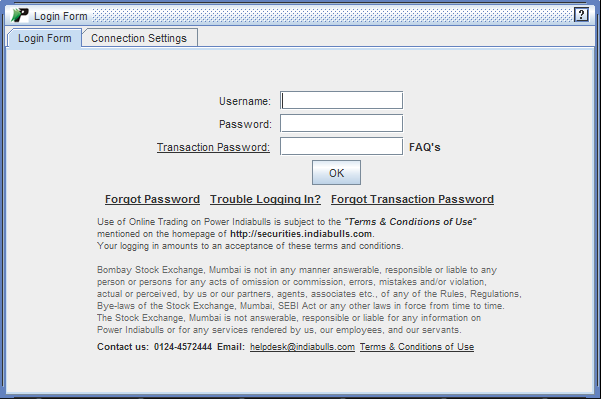 |
Login Frame contains two tabs:
Login Form tab
Login Form tab lets you login into your PIB application. Below are the steps mentioned in this perspective: -
-
To begin with, enter your Login ID in Username field.
- Next, enter your Login Password in Password
field.
- Next, click on 'OK' button. On clicking, PIB verifies your login details, and if find them to be correct, directs you to the Main Window of PIB application
Connection Settings tab
Connection
Settings tab displays you the connection settings of your PIB.